A growing company rarely decides to create more HR administration. It accumulates: another spreadsheet for holiday balances, a separate inbox for onboarding questions, a manager chasing timesheets on Friday afternoon. Learning how to reduce HR admin starts by seeing this work for what it is – not a sign that your team is inefficient, but a sign that your processes and systems have not kept pace with the business.
For an HR team of one to three people, the goal is not to automate every human interaction. It is to remove the repetitive work that prevents you from supporting managers, employees and leadership properly. The right changes reduce chasing, duplicate data entry and avoidable errors while leaving room for judgement where it matters.
Find the work that creates the most friction
Before buying software or redesigning a process, identify where administration actually goes. Ask your team to note recurring tasks for two weeks: requests, approvals, data updates, reporting and follow-ups. Include the work that arrives through informal channels such as Teams messages and personal emails. That is often where the real burden sits.
Look for four common patterns:
- The same employee information is entered into more than one system
- HR has to remind people to complete a standard action
- Managers need HR to find information they should be able to see themselves
- A process depends on one person knowing which spreadsheet, folder or version is correct
Not every time-consuming task should be removed. A sensitive absence conversation or a complex employee relations case needs careful human handling. But a leave request, address change or onboarding checklist should not require an HR professional to manually move information between tools.
Quantify the cost in practical terms. If payroll inputs take six hours each month because data must be checked across multiple sources, that is 72 hours a year before considering errors or interruptions. A simple measure turns a vague frustration into a clear priority.
How to reduce HR admin by standardising the basics
Variation is one of the main causes of HR workload. When every manager uses a different onboarding approach, approval route or probation review format, HR becomes the translator and quality controller. Standardisation is not about making employee experience impersonal. It gives people a reliable baseline, so exceptions are visible and deliberate rather than accidental.
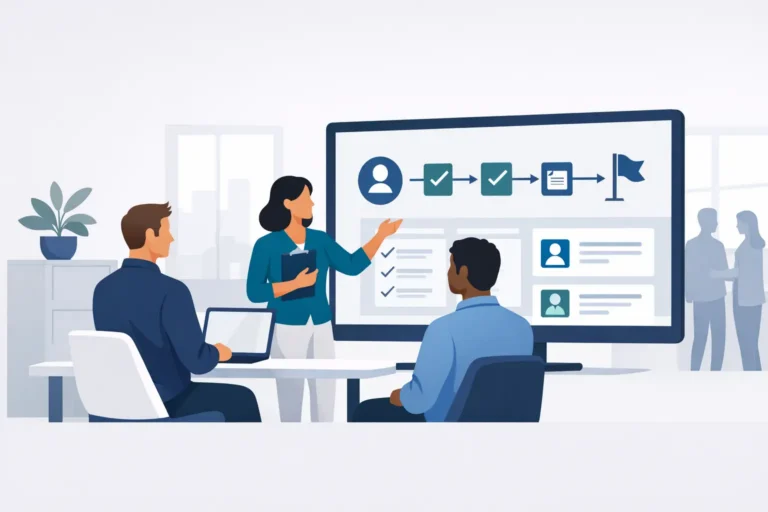
Start with the employee lifecycle processes that occur most often: recruitment handover, onboarding, changes to personal or employment details, leave, time recording, expenses, performance reviews and offboarding. For each process, define who starts it, what information is required, who approves it and what the employee should receive at each stage.
Keep each workflow proportionate. A five-person approval chain for a low-value expense is not good governance. Equally, removing checks from a process involving contractual changes or access permissions creates risk. The sensible level of control depends on the decision, the country and your internal policies.
Templates make this easier to sustain. Use consistent offer-letter data fields, onboarding tasks by role, review questions and policy acknowledgements. When a process changes, update the template once rather than relying on every manager to interpret a new email correctly.
Give employees and managers ownership of routine requests
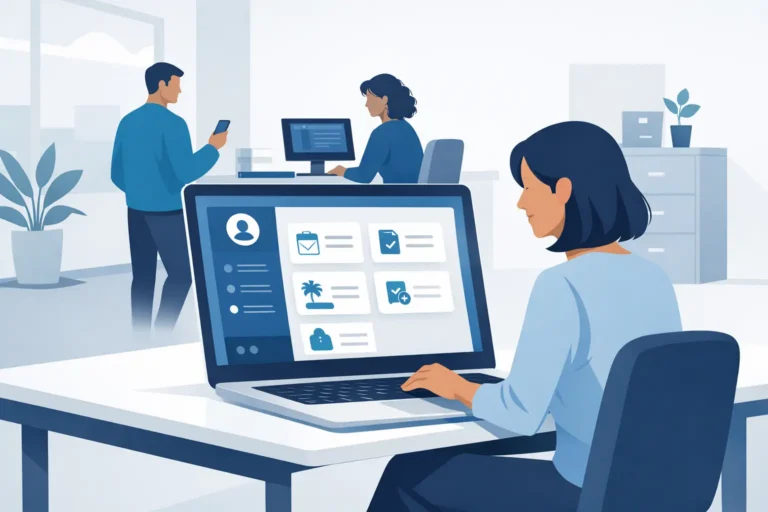
The fastest way to reduce HR tickets is often to stop routing routine questions through HR in the first place. Employees should be able to request leave, submit expenses, update selected personal details and find current policies without waiting for someone in HR to respond. Managers need a clear view of their team’s absences, outstanding approvals and key dates.
Self-service only works when it is genuinely easier than asking HR. The information must be current, the approval status must be visible and the experience must work for people who are not at a desk all day. If employees cannot trust the holiday balance they see, they will continue to email HR for confirmation.
Set sensible boundaries. Employees can maintain their home address and bank details, but a change to salary, job title or working pattern may require approval and an audit trail. The purpose is not to open every field to everyone. It is to put routine updates with the person best placed to make them, while retaining appropriate controls.
Managers also need guidance, not just access. A short explanation of when to approve, when to query and when to involve HR prevents self-service from becoming a new source of inconsistent decisions.
Replace disconnected tools with one source of truth
Many HR teams use capable tools that simply do not share information. Recruitment data sits in one application, leave in another, employee files in a shared drive and performance reviews in a third. The administrative cost appears at every handover: exporting, importing, reconciling and checking which record is current.
A single HR system can reduce this effort because employee data is entered once and used across related workflows. A new starter’s details can flow from recruitment into onboarding. Approved leave can inform attendance records. Completed reviews can sit alongside learning plans and employment history. The value is not having more technology. It is having fewer places where the same fact can become inconsistent.
For European SMEs, assess data architecture as carefully as functionality. HR records include sensitive personal data, and fragmented systems can make access control, retention and auditability harder to manage. Ask where data is hosted, who can access it, how permissions are managed and whether the provider supports your GDPR obligations. A platform such as Cognitis.cloud is designed around this consolidation model, with a dedicated single-tenant environment and EU data residency for organisations that need both simplicity and control.
Consolidation does not mean replacing every specialist tool immediately. If your payroll provider or learning content library already works well, integration may be the better choice. The key question is whether the HR team still has to manually carry data between systems.
Automate reminders and routing, not judgement
Automation is most useful when it handles predictable actions at the right moment. Think probation review reminders, incomplete onboarding tasks, expiring documents, missing timesheets and approvals waiting too long. These are small tasks individually, but they create a constant background of chasing.
Good automation has a clear owner and escalation path. A reminder for an overdue review might go to the manager first, then to their manager after a defined period. It should not quietly generate notifications until everyone ignores them. Review automated messages regularly and remove those that no longer prompt action.
AI can also help with drafting job descriptions, policy communications or answers to common HR questions. Treat it as an assistant, not a decision-maker. HR teams should review generated content for accuracy, tone and local legal requirements, especially where employment law or collective agreements apply. For organisations with strict data requirements, the choice of AI provider and where prompts are processed matters as much as the feature itself.
Make reporting part of the workflow
Reporting becomes labour-intensive when it is treated as a monthly rescue exercise. If headcount, absence, turnover and mandatory training data are recorded consistently during normal work, reporting should be a review of the data rather than a data collection project.
Agree a small set of measures leaders actually use. A fast-growing business may focus on headcount by location, time to hire, absence trends and probation completion. A more established organisation may also need workforce cost, training compliance or performance cycle completion. Start with decisions, then design the reporting fields required to support them.
Data quality needs ownership. Define which fields are mandatory, who maintains them and when they are checked. A report cannot be more reliable than the data entered at the point of hire, change or exit.
Introduce changes in manageable stages
Trying to fix every HR process at once often creates more work before it creates less. Choose one high-volume, low-complexity workflow first, such as leave management or onboarding. Set a baseline for the time spent, launch the new process, then check whether requests are completed faster and whether employees still need support.
Bring managers into the design early. They know where approval steps get stuck and what information they need to make a decision. Their involvement also makes adoption more likely, particularly when a new system replaces familiar spreadsheets.
Keep a short list of exceptions during the first few months. If the same exception appears repeatedly, it may reveal a genuine policy gap or a workflow that is too rigid. If it is rare, handle it as an exception rather than adding complexity for everyone.
Reducing HR administration is not about making HR less visible. It is about making routine work dependable enough that your team can spend more time on the conversations, decisions and improvements that help people do their best work.