Ein neues HRIS kann die tägliche Reibung verringern, die durch das Jagen nach Tabellenkalkulationen, das Abgleichen von Abwesenheitssalden und das Aktualisieren derselben Mitarbeiterdetails in mehreren Systemen entsteht. Aber der Nutzen zeigt sich erst, wenn die in der neuen Plattform ankommenden Informationen korrekt, nutzbar und angemessen geschützt sind. Dieser Leitfaden zur HR-Datenmigration ist für HR-Teams konzipiert, die mit Sorgfalt vorgehen müssen, ohne dass ein Systemwechsel zu einem sechsmonatigen Datenbereinigungsprojekt wird.
Für ein wachsendes Unternehmen ist eine Migration keine einfache IT-Aufgabe. Sie entscheidet darüber, ob die Mitarbeiter Self-Services vertrauen, ob Führungskräfte verlässliche Teamdaten sehen und ob die HR-Abteilung vom ersten Tag an sicher berichten kann. Das Ziel ist nicht, jeden historischen Datensatz zu übernehmen. Es geht darum, die richtigen Datensätze in einer Form zu übernehmen, die Ihr Team pflegen kann.
Beginne mit dem Betriebsproblem, nicht mit der Tabellenkalkulation
Bevor auch nur eine einzige Spalte zugeordnet wird, vereinbaren Sie, was das neues HRIS unterstützen muss. Ein Unternehmen, das von separaten Tools für Personalbeschaffung, Abwesenheits- und Spesenverwaltung wechselt, hat andere Prioritäten als eines, das eine einzige Mitarbeiterdatenbank ersetzt. Beginnen Sie damit, die Prozesse zu definieren, die zum Start funktionieren müssen: Onboarding, Urlaubsfreigabe, Zeiterfassung, Dokumentenverwaltung, Berichterstattung oder Leistungsbeurteilungen.
Dieser Rahmen setzt sinnvolle Grenzen. Beispielsweise können aktuelle Verträge, aktive Urlaubsansprüche und obligatorische Compliance-Dokumente essenziell sein. Fünf Jahre alte, veraltete Kandidatennotizen oder Spesenbelege sind das vielleicht nicht. Informationen allein deshalb aufzubewahren, weil sie vorhanden sind, erzeugt mehr Arbeit, ein größeres Datenschutzrisiko und mehr Verwirrung für die Nutzer.
Bestimmen Sie jeweils einen verantwortlichen Eigentümer aus dem Personalwesen (HR) und einen aus der IT, dem Finanzwesen oder dem operativen Bereich, sofern diese Teams die Quelldaten verwalten. HR sollte entscheiden, welche Informationen sinnvoll und rechtmäßig aufzubewahren sind. Technische Kollegen können bei Exporten, Zugriffskontrollen und der Validierung helfen. Wenn niemand die Entscheidungsbefugnis hat, gerät die Migration in endlosen Fragen zu Sonderfällen ins Stocken.
Erstellen Sie ein übersichtliches Datenverzeichnis
Die meisten HR-Teams haben mehr Quellen, als sie erwarten. Mitarbeiterdaten können sich in Gehaltsabrechnungen, Tabellenkalkulationen, Recruiting-Software, gemeinsamen Laufwerken, Zeiterfassungstools, Leistungsportalen und den lokalen Dateien von Managern befinden. Erstellen Sie eine Bestandsaufnahme, die für jeden Datensatz die Quelle, den Verantwortlichen, den Zweck, die Datenfelder, den Datumsbereich und das beabsichtigte Ziel erfasst.
Das Verzeichnis sollte zudem personenbezogene Daten und besondere Kategorien von Daten ausweisen. Gesundheitsbezogene Abwesenheitsnotizen, Anpassungen für Menschen mit Behinderungen, Gewerkschaftszugehörigkeiten und Ausweisdokumente erfordern gemäß DSGVO besondere Sorgfalt. Sie haben möglicherweise einen berechtigten betrieblichen Zweck, aber das bedeutet nicht, dass jeder Benutzer oder jedes System Zugriff darauf haben muss.
Eine praktische Bestandsaufnahme deckt oft Duplikate auf. Die Berufsbezeichnung eines Mitarbeiters kann zwischen Gehaltsabrechnung, dem Organigramm und der Tabelle eines Managers variieren. Anstatt die bequemste Quelle zu wählen, bestimmen Sie, welches System für die jeweiligen Daten maßgeblich ist. Die Gehaltsabrechnung ist möglicherweise die maßgebliche Quelle für den offiziellen Namen und Steuerinformationen, während HR für die Hierarchiestufe, den Vorgesetzten und den Arbeitsort zuständig ist.
Entscheiden Sie, was bleibt, was umzieht und was archiviert wird
Verwenden Sie drei Kategorien: migrieren, archivieren und löschen. Migrieren Sie Informationen, die für aktive Prozesse, gesetzliche Verpflichtungen oder verlässliche Berichterstattung benötigt werden. Archivieren Sie Datensätze, die aufbewahrt werden müssen, aber voraussichtlich nicht regelmäßig genutzt werden. Löschen Sie Daten, deren Aufbewahrungsfrist abgelaufen ist oder die keinen definierten Zweck haben.
Hier kommt ein Aufbewahrungsplan ins Spiel. Die Anforderungen variieren je nach Land, Beschäftigungsgegenstand und Datensatztyp, vermeiden Sie daher die Anwendung einer pauschalen Regel für eine europäische Belegschaft. Wenn Ihr Unternehmen in den Benelux-Staaten und der DACH-Region tätig ist, ziehen Sie den zuständigen Rechts- oder Datenschutzberater hinzu, wenn die Aufbewahrungspflichten unklar sind. Eine Migration ist ein günstiger Zeitpunkt, um Richtlinien anzuwenden, die zwar auf dem Papier bestanden haben, aber nicht in der Praxis.
Bereinigen und zuordnen vor dem Importieren
Datenbereinigung ist die Arbeit, die zukünftige Verwaltungsprobleme verhindert. Standardisieren Sie Formate für Daten, Telefonnummern, Adressen, Berufsbezeichnungen und Kostenstellen. Korrigieren Sie offensichtliche Duplikate und entfernen Sie ehemalige Mitarbeiter aus Dateien, die für aktive Mitarbeiterdatensätze bestimmt sind. Vereinbaren Sie einheitliche Werte für Felder wie Beschäftigungsverhältnis, Abteilung und Standort.
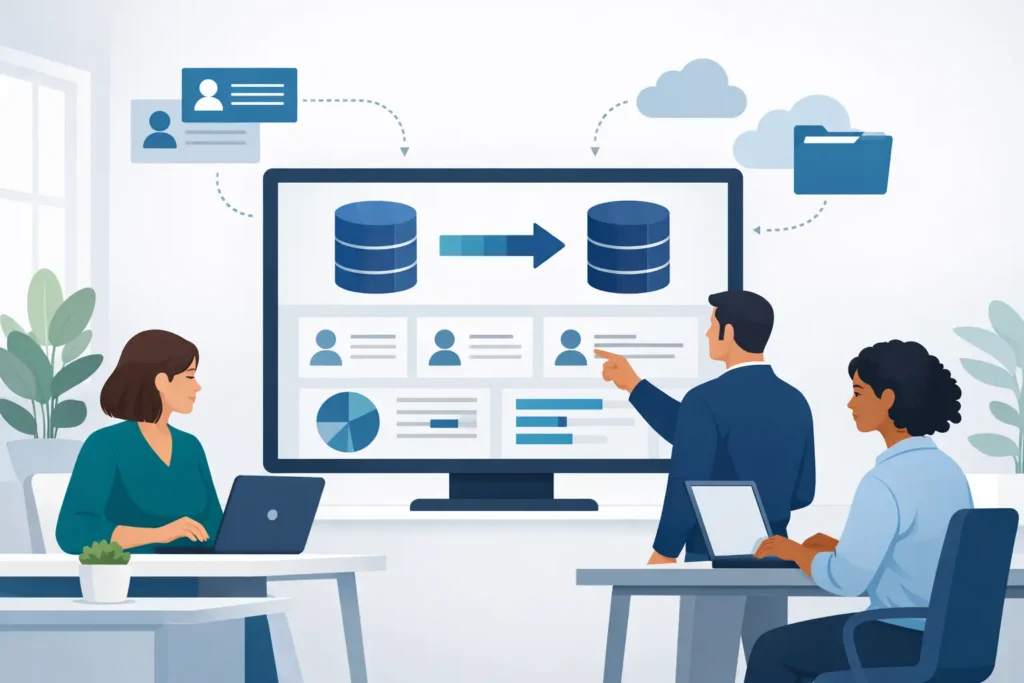
Erstellen Sie dann ein Zuordnungsdokument. Es sollte jedes Quellfeld, sein Zielfeld, die Transformationsregel, den Verantwortlichen und die Validierungsmethode zeigen. Beispielsweise kann ein Quellwert wie “FT” auf “Vollzeit” abgebildet werden, während mehrere alte Abteilungsnamen möglicherweise auf eine aktuelle Struktur abgebildet werden müssen.
Achten Sie genau auf Kennungen. E-Mail-Adressen können sich ändern und Namen sind nicht eindeutig. Eine stabile Mitarbeiter-ID ist in der Regel der sicherste Weg, Datensätze systemübergreifend abzugleichen. Wenn keine vorhanden ist, legen Sie vor dem Import eine kontrollierte Abgleichregel fest. Verlassen Sie sich niemals auf manuelle Beurteilung, nachdem Tausende von Zeilen geladen wurden.
Für kleine Teams ist es verlockend, direkt in der Exportdatei zu bereinigen. Das kann bei einem einfachen Datensatz funktionieren, aber bewahren Sie einen unberührten Originalexport an einem geschützten Ort auf. Sie brauchen einen Prüfpfad, falls später eine Frage auftaucht, und einen sauberen Rollback-Punkt, falls eine Transformation schiefgeht.
Schützen Sie den Datenschutz während der gesamten Migration
Die HR-Migration beinhaltet mehr als nur die sichere Übertragung von Dateien. Sie erfordert klare Entscheidungen darüber, wer auf Quelldaten zugreifen kann, wer Änderungen genehmigen darf und wie lange Arbeitsdateien verfügbar bleiben. Beschränken Sie den Zugriff auf den kleinsten Personenkreis, der für die Durchführung der Arbeit erforderlich ist. Ein gemeinsam genutzter Ordner mag bequem sein, ist jedoch für Mitarbeiterdaten selten angemessen.
Verwenden Sie genehmigte Übertragungsmethoden und dokumentieren Sie, wo Extrakte gespeichert werden. Vermeiden Sie den Versand unverschlüsselter Tabellenkalkulationen per gewöhnlicher E-Mail oder das Ablegen in persönlichen Cloud-Laufwerken. Wenn ein Migrationspartner oder HRIS-Anbieter die Daten verarbeitet, bestätigen Sie die vertraglichen Rollen, Sicherheitsmaßnahmen, Verarbeitungsanweisungen und den Standort der Daten.
Für europäische KMU verdienen Hosting-Vereinbarungen besondere Aufmerksamkeit. Eine Plattform mit EU-Datenresidenz und eine dedizierte Umgebung kann eine strengere Kontrolle darüber unterstützen, wo Mitarbeiterdaten gespeichert werden und wer die Infrastruktur mit Ihnen teilt. Sie entbindet Sie zwar nicht von Ihren Pflichten als Verantwortlicher, kann aber die Governance übersichtlicher gestalten.
Datenschutzhinweise müssen möglicherweise aktualisiert werden, wenn die neue Plattform ändert, wie Mitarbeiter auf ihre Daten zugreifen, wie Daten verarbeitet werden oder welche Anbieter beteiligt sind. Seien Sie vor dem Start transparent gegenüber den Mitarbeitern. Eine kurze Erklärung darüber, was sich ändert, was sie tun müssen und wo sie Fragen stellen können, verhindert in der Regel vermeidbare Bedenken.
Testen Sie die HR-Datenmigration in einem Piloten
Machen Sie nicht den ersten vollständigen Import zu Ihrem Test. Führen Sie einen Piloten mit einer repräsentativen Stichprobe durch: verschiedene Länder, Abteilungen, Beschäftigungsarten, Manager, Neueinstellungen, Austritte und Mitarbeiter mit ungewöhnlichem Urlaub oder ungewöhnlichen vertraglichen Vereinbarungen. Die schwierigen Datensätze sind diejenigen, die schwache Zuordnungsregeln aufdecken.
Validieren Sie sowohl die Datenkonsistenz als auch reale Arbeitsabläufe. Kann ein Mitarbeiter den korrekten Vorgesetzten und Urlaubskontostand sehen? Kann ein Vorgesetzter Urlaub für das richtige Team genehmigen? Enthalten Gehaltsabrechnungsexporte die erwarteten Felder? Sind die Dokumentenberechtigungen korrekt? Ein Datensatz kann in einem Importprotokoll vollständig aussehen und dennoch den Prozess nicht unterstützen, für den er gedacht ist.
Legen Sie vor dem Testen Akzeptanzkriterien fest. Nützliche Überprüfungen umfassen Mitarbeiterzahlen nach Land und Abteilung, Ausfüllraten von Pflichtfeldern, doppelte Datensätze, Summen der Urlaubssalden sowie einen Stichprobenvergleich wichtiger Mitarbeiterdaten mit der Quelle. Überprüfen Sie bei sensiblen Dateien den rollenbasierten Zugriff mit Testkonten, anstatt anzunehmen, dass die Berechtigungen korrekt importiert wurden.
Wenn Probleme auftreten, korrigieren Sie die Zuordnung oder die Quelldaten und führen Sie den Test dann erneut aus. Korrigieren Sie nicht Hunderte von Datensätzen manuell im neuen System, es sei denn, es gibt einen klaren Grund dafür. Manuelle Korrekturen lassen sich nur schwer reproduzieren und tauchen bei zukünftigen Integrationen in der Regel wieder auf.
Planen Sie die Systemumstellung um die Menschen herum, nicht nur um die Systeme.
Das Umstellungsdatum sollte die operative Realität widerspiegeln. Vermeiden Sie nach Möglichkeit Lohn- und Gehaltsabrechnungsfristen, Höchststände bei Urlaubszeiten, Leistungsbeurteilungszeiträume und Phasen mit starker Einstellungstätigkeit. Legen Sie fest, wann die Bearbeitung in den alten Systemen eingestellt wird, wann der finale Auszug erstellt wird und wer für Aktualisierungen verantwortlich ist, die während des Übergangs anfallen.
Ein kurzer Datenstopp ist oft notwendig. Der Kompromiss besteht in vorübergehenden Unannehmlichkeiten gegenüber dem Risiko, Änderungen zu verlieren oder zu duplizieren. Beispielsweise kann ein zweitägiger Stopp von Änderungen persönlicher Daten verkraftbar sein, während das Einfrieren von Urlaubsanträgen für zwei Wochen unnötige Störungen verursachen kann. Halten Sie den Stopp so eng und kurz, wie es Ihre Datenflüsse erlauben.
Geben Sie Führungskräften und Mitarbeitern eine einfache Startnachricht. Erklären Sie, welches System nun die einzige, verbindliche Datenquelle ist, was sie als Erstes überprüfen sollten und wie sie ein Problem melden können. Bitten Sie die Mitarbeiter, wichtige Details wie persönliche Angaben zu überprüfen. Kontakt Informationen, gegebenenfalls Bankverbindungen und Notfallkontakte, aber laden Sie die gesamte Qualitätssicherung nicht auf sie ab.
Die Kontrolle nach dem Go-Live behalten
Die Migration ist erst dann abgeschlossen, wenn die neuen Daten zuverlässig funktionieren. Überwachen Sie in den ersten Wochen fehlgeschlagene Arbeitsabläufe, Zugriffsanfragen, doppelte Profile und wiederkehrende HR-Anfragen. Diese Signale zeigen, ob das Problem in den Daten, der Konfiguration, der Schulung oder einer unklaren Richtlinie liegt.
Lassen Sie das Altsystem für einen vereinbarten Zeitraum im Nur-Lese-Modus verfügbar, sofern dies rechtlich und wirtschaftlich sinnvoll ist. Legen Sie fest, wer darauf zugreifen kann, warum und wann es abgeschaltet wird. Es unbegrenzt offen zu lassen, schwächt genau die Konsolidierung, die Sie erreichen wollten.
Eine Plattform wie Cognitis.cloud kann Mitarbeiterdaten, Abwesenheiten, Zeiterfassung, Recruiting und Leistungsbeurteilung in einer Umgebung zusammenführen, aber die Plattform ist nur ein Teil des Ergebnisses. Der nachhaltige Nutzen entsteht dadurch, dass Verantwortlichkeiten vereinbart, die wesentlichen Daten bereinigt und das neue System zu dem Ort gemacht wird, auf den man sich verlassen kann und an dem die HR-Arbeit stattfindet.
Die beste Migration hinterlässt Ihrem Team weniger Daten, denen es hinterherlaufen muss, klarere Verantwortlichkeiten und genügend Vertrauen in die Zahlen, um danach zu handeln. Das ist ein weitaus nützlicheres Ergebnis als eine perfekte Kopie jeder alten Tabelle.