If your HR team is still piecing together employee data from spreadsheets, email threads, payroll exports, and a separate leave tracker, the question isn’t just what is an HRIS. It’s whether you’ve reached the point where not having one is slowing the business down.
For growing companies, HR complexity tends to creep up quietly. Hiring speeds up. Policies get harder to track. Managers want reports. Finance wants cleaner payroll inputs. Employees expect self-service. At some point, the old patchwork of tools stops being cheap and starts becoming risky. That’s where an HRIS comes in.
What is an HRIS?
HRIS stands for Human Resource Information System. In plain terms, it’s the core system a company uses to store, manage, and organize employee information and HR processes.
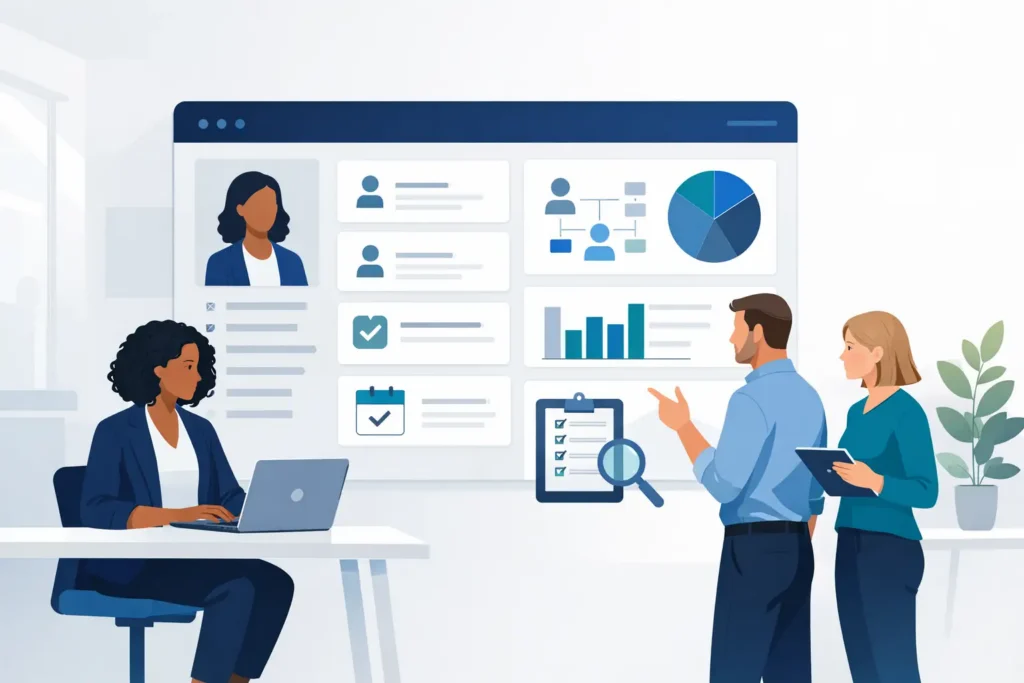
A good HRIS acts as a central source of truth for your people data. That usually includes employee records, job details, contracts, compensation data, time-off balances, attendance information, onboarding tasks, and documents. Depending on the platform, it may also cover recruiting, performance reviews, expenses, learning, and workflow automation.
The key idea is not just digitizing HR admin. It’s connecting HR work in one place so information does not need to be entered, checked, and corrected across multiple systems.
What an HRIS actually does day to day
The easiest way to understand an HRIS is to look at the work it removes from your week.
Instead of creating a new employee in three or four separate tools, HR enters the information once. Instead of chasing managers by email for probation reviews, the system triggers reminders and tracks completion. Instead of employees asking HR how many vacation days they have left, they can often check for themselves.
Most HRIS platforms support a mix of core administrative and operational tasks. That usually includes maintaining employee files, managing org charts, handling leave requests, preparing payroll inputs, storing signed documents, and producing reports for leadership or compliance needs.
For a small HR team, that matters because time is usually the constraint. One HR manager in a 150-person company may be handling recruiting in the morning, policy questions at lunch, and payroll checks by the afternoon. A disconnected setup creates repeat work in every one of those areas.
What is an HRIS not?
This is where the market gets confusing. HR software terms are often used interchangeably, but they are not always the same thing.
An HRIS is often the operational backbone for employee data and core HR workflows. You may also hear terms like HRMS and HCM. In practice, vendors use these labels differently, so the distinction is not always clean.
Generally, HRMS can imply a broader system that includes workforce management and payroll-related capabilities. HCM often refers to a wider talent-focused suite, covering things like recruiting, performance, succession planning, and workforce strategy.
For many small and midsize businesses, the label matters less than the scope. The better question is whether the system handles the HR work you actually do, without forcing you into enterprise-level complexity.
Why companies usually start looking for an HRIS
Most teams do not wake up one day excited to buy HR software. They start looking because a pain point has become too expensive to ignore.
Sometimes it is data inconsistency. HR has one version of an employee record, payroll has another, and managers are working from outdated information. Sometimes it is compliance pressure, especially when employee documents, policy acknowledgments, and leave records are spread across shared drives and inboxes. And often it is simply growth. What worked at 20 employees becomes fragile at 80 and chaotic at 250.
There is also a people experience issue. Employees notice when simple requests take too long, onboarding feels improvised, or approvals disappear into email. An HRIS will not fix every process by itself, but it gives structure to the basics.
The main benefits of an HRIS
The biggest benefit is consistency. When HR data lives in one system, updates are easier to control and reporting becomes more trustworthy.
The second is efficiency. Repetitive tasks such as onboarding checklists, leave approvals, contract storage, and reminders can move through defined workflows instead of manual follow-up. That does not just save time for HR. It reduces friction for managers and employees too.
The third is visibility. Leadership teams often ask basic workforce questions that should be easy to answer: How many people joined this quarter? Where are absences increasing? Which reviews are overdue? Without an HRIS, those answers can take hours to assemble and may still be incomplete.
Then there is compliance. This matters even more when a business operates across different legal and policy environments. A system with clear permissions, document tracking, audit trails, and controlled data access gives HR a stronger operational foundation than folders and spreadsheets ever will.
What to look for if you’re evaluating an HRIS
Not every HRIS is a good fit for every business. A global enterprise platform may be powerful, but that does not mean it makes sense for a 70-person company with a lean HR team.
Start with your real operating model. How many systems are you trying to replace? Which workflows create the most manual work today? Where do errors tend to happen? If your biggest issue is fragmented employee data, your priority should be a strong core HR system. If time tracking, leave, and approvals are constant headaches, workflow depth matters more.
Ease of use should be taken seriously. A system that looks comprehensive in a demo but confuses managers and employees in daily use can become another admin burden. Reporting also matters. If extracting basic HR data requires vendor support or technical workarounds, the platform will frustrate you quickly.
For European businesses, data residency and privacy controls may be part of the decision, not an afterthought. The same goes for implementation model. Some companies want a shared SaaS setup. Others prefer a dedicated environment and more control over how data and AI capabilities are handled. That depends on internal policy, risk tolerance, and IT expectations.
Common mistakes when choosing an HRIS
One common mistake is buying for future complexity instead of current reality. It sounds sensible to choose the biggest, most configurable platform you can afford, but many growing companies end up paying for capabilities they never use while making basic HR work harder.
Another mistake is treating the HRIS as only an HR decision. In practice, finance, IT, legal, and department managers often interact with the system or rely on its outputs. If they are not involved early enough, problems show up later in payroll workflows, permissions, reporting, or adoption.
The third mistake is assuming software will fix broken processes on its own. An HRIS can improve structure and reduce manual work, but if your approval paths are unclear or your data standards are inconsistent, the system will reflect that. Good implementation still requires decisions.
Does every company need an HRIS?
Not immediately. Very small businesses can often manage with lightweight tools for a while, especially if headcount is stable and operations are simple.
But once employee data is spread across too many places, or HR is spending real time reconciling information, the cost of waiting rises. That cost is not only admin hours. It includes slower onboarding, reporting gaps, payroll mistakes, compliance risk, and a poorer employee experience.
For companies in the 10 to 500 employee range, the decision is usually less about whether an HRIS is needed and more about when the switch becomes worth it. In most cases, the answer comes earlier than teams expect.
What is an HRIS in a modern HR stack?
Today, an HRIS is often expected to do more than act as a digital filing cabinet. Teams want one place where recruiting flows into onboarding, employee records connect to time and leave, and review cycles do not live in a separate tool.
That shift matters because software sprawl is one of the biggest hidden costs in HR operations. Every additional system adds another login, another data sync issue, another vendor relationship, and another place where records can drift out of date. Platforms such as Cognitis.cloud are built around that consolidation problem, especially for growing SMEs that want one system instead of five.
A modern HRIS should still be judged by basics first: data quality, workflow support, reporting, usability, and control. AI features, automation, and broader modules can add value, but only if the core is reliable.
If you’re asking what is an HRIS, you’re probably also asking a more practical question: would a central system give your HR team more control and fewer manual handoffs? That is usually the real decision. The right answer is not the platform with the most features. It’s the one that fits the way your team actually works and gives you room to grow without making HR harder than it needs to be.
The best HR systems earn their place quietly – by reducing follow-up, cleaning up data, and giving your team back time for work that actually needs human judgment.