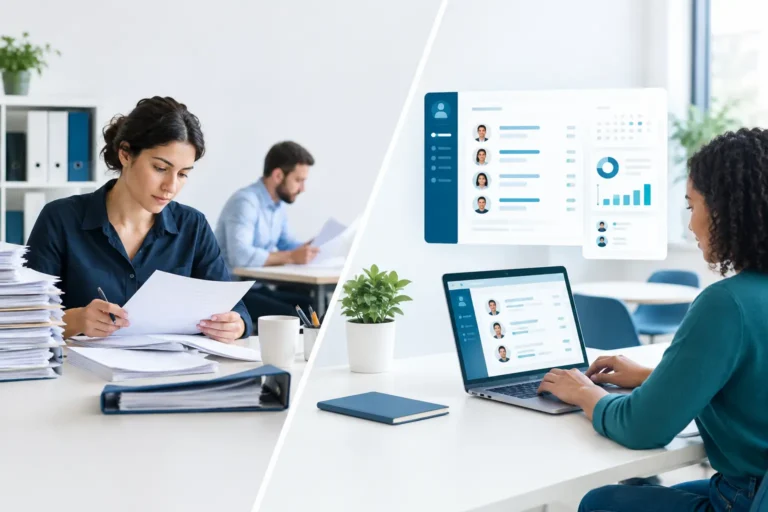
A missing right-to-work document. An expired certification discovered during an audit. A manager emailing HR for a contract that should take seconds to find. These are rarely isolated admin mistakes. They are signs that employee records have outgrown shared drives, paper folders and spreadsheets. Digital personnel file software gives HR teams one controlled place to manage the employment documents and data they depend on.
For a growing business, the value is not simply storing PDFs online. The right system makes records easier to find, harder to expose accidentally and simpler to maintain throughout the employee lifecycle. It also gives HR a clearer answer when leadership asks a reasonable question: are our people records complete, current and properly protected?
What digital personnel file software should solve
A digital personnel file is the secure record attached to each employee. It commonly includes contracts, amendments, identity and work eligibility evidence where appropriate, policy acknowledgements, compensation records, performance documentation, training certificates and leave-related documents. Exactly what belongs in the file depends on the employer’s legal obligations, local employment practices and internal policy.
The problem with disconnected storage is not that documents cannot be saved. It is that no one can reliably see what is missing, who changed a record, which version is current or who should be allowed to access it. A folder structure may work for ten employees and a single HR administrator. It becomes fragile when managers, payroll, finance and employees all need different levels of access.
Purpose-built software should replace that uncertainty with a consistent employee record. HR can work from standard document categories, check completion during onboarding and retrieve information without searching through inboxes. Employees can provide documents through a controlled process rather than sending sensitive files around by email.
The features that matter in practice
Not every digital personnel file needs the same configuration. A business operating only in one country has different requirements from a team employing people across Benelux and DACH. Still, several capabilities are fundamental.
Role-based access, not open folders
Personnel information is sensitive by default. A line manager may need to see an employee’s objectives or absence history, but not their salary letter, medical information or identification documents. Payroll may need pay-related records while having no reason to access performance notes.
Look for permissions that can be set by role, team and document type. The principle is straightforward: people should access only the information required for their work. This reduces accidental exposure and makes access decisions easier to explain during a review or audit.
A clear document history
Contracts change. Job titles change. Salary arrangements and policies change. Keeping every version visible to everyone creates confusion, while overwriting the original can remove an important record.
A useful system preserves document history, shows when a file was added or replaced and records who performed the action. That audit trail is practical rather than decorative. It helps HR establish which agreement was active at a given point and avoids unnecessary back-and-forth when a question arises.
Retention rules and reminders
Holding on to personal data indefinitely is not good records management. Under GDPR principles, personal data should be kept no longer than necessary for its stated purpose, subject to employment law, tax requirements and potential legal claims. Retention periods vary by document and country, so software should support your policy rather than impose a generic schedule.
Reminders also matter before a document becomes a problem. An expiring certificate, a missing signed policy or incomplete onboarding evidence can be flagged for action. The goal is not to turn HR into a notification desk. It is to focus attention on the exceptions that genuinely need follow-up.
Employee self-service with sensible controls
Employees should not have to ask HR for every document they need. Secure self-service can let them update contact details, upload requested records and access appropriate documents such as their contract or policy acknowledgements.
However, self-service is not a reason to remove oversight. For changes to bank details, legal names or other high-impact information, approval workflows and an auditable record are often sensible safeguards. The right balance depends on your internal controls and the types of data involved.
Why standalone document storage often falls short
A secure cloud drive can be useful, particularly for a small team with simple needs. If HR processes are stable, document types are limited and permissions are carefully maintained, it may be enough for a time.
The trade-off appears when the employee file is separated from the process that creates it. A recruitment system holds offer details, onboarding sits in a checklist tool, training certificates live elsewhere and leave data is held in a separate platform. HR then has to manually decide which items belong in the personnel file and whether they remain current.
That creates duplicate work and weakens the record. It also makes reporting difficult. You cannot easily answer how many employees are missing a required document if the documents, employee status and onboarding tasks live in different places.
For SMEs moving beyond fragmented tools, the stronger model is an HRIS where the personnel file is part of the employee record from recruitment through to offboarding. A signed contract can be captured during onboarding, learning evidence can attach to the employee profile and access can change automatically when a person changes role or leaves.
How to choose digital personnel file software
Start with your operating model, not a feature checklist. Map the documents you collect at recruitment, onboarding, during employment and at exit. Then identify who needs access to each category and where the present process breaks down. This reveals whether the issue is storage, permissions, workflow or all three.
When evaluating providers, ask how the system handles the following areas:
- document categories and custom fields that reflect your policies
- granular permissions for HR, managers, payroll and employees
- audit trails, version history and approval records
- retention and deletion workflows
- onboarding and offboarding connections
- data export, ownership and support if you change provider
For European employers, data location and tenancy deserve more than a quick tick-box question. Ask where personnel data is hosted, whether your environment is shared with other customers and how access is controlled. GDPR readiness is not achieved by a label alone. It requires clear processing arrangements, appropriate security measures and HR practices that respect data minimisation.
AI features also need a practical assessment. AI can help draft HR content, answer routine policy questions or route workflow tasks. It should not become an uncontrolled route for sensitive employee information. Confirm which AI provider is used, what data is processed, whether alternative or self-hosted models are available and what governance your organisation can apply.
Plan the move without carrying old problems forward
Migration is where many projects lose momentum. The temptation is to transfer every historical file first and organise it later. That can preserve duplicates, obsolete records and documents that should already have been deleted.
A better approach is to define a minimum viable file structure. Decide which documents must be present for every active employee, which historical records should be retained and which categories need restricted access. Clean up duplicates before import and agree naming conventions that make sense to HR, not just to the person who built the old folder tree.
Run a sample migration with a cross-section of employee records. Include a new starter, a manager, someone with a role change and a leaver where retention rules apply. This exposes permission gaps and missing fields before the whole organisation is moved.
Adoption should be equally deliberate. Show managers what they can find and what they cannot see. Explain to employees why they are being asked to upload or verify information. A simple process that people understand will produce better data than a sophisticated process no one follows.
Make the personnel file part of everyday HR operations
The file should not be treated as a digital archive visited only when something goes wrong. It should be updated through everyday work: a contract is signed during onboarding, a training certificate is added after completion and a performance document is stored in the appropriate restricted category.
This is where an all-in-one HRIS has an operational advantage. When recruiting, onboarding, time and attendance, leave, learning and performance processes sit in one system, HR spends less time reconciling records across tools. For teams of 10 to 500 employees, that consolidation can be more valuable than an extensive document library with no connection to the rest of HR.
Cognitis.cloud is designed around this approach, combining personnel records with the HR processes that keep them accurate while supporting dedicated EU-based environments and controlled access.
The best digital personnel file software does not ask HR to become records specialists. It gives a growing team the structure to handle sensitive employee information with care, answer questions quickly and keep attention where it belongs: on the people behind the documents.