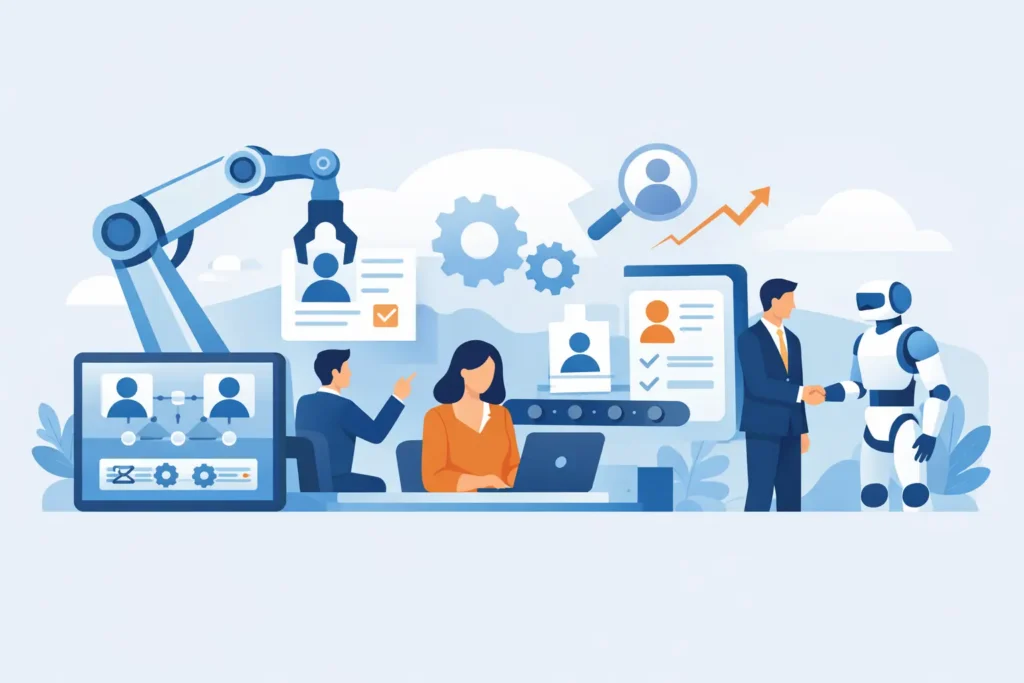
If your HR team is still chasing signed PDFs, updating employee spreadsheets by hand, and answering the same policy questions every week, the real issue is not workload alone. It is process design. That is exactly where the question what is HR automation becomes practical, not theoretical.
HR automation is the use of software to handle repetitive human resources tasks with less manual effort. Instead of relying on email chains, paper forms, and disconnected tools, businesses use workflows, rules, and integrated systems to move HR work forward automatically. That can include sending offer letters, assigning onboarding tasks, tracking time off, storing employee records, issuing compliance reminders, or routing approvals to the right manager.
For small and mid-sized businesses, HR automation is less about replacing people and more about removing admin friction. It gives HR leaders and operations managers more time for hiring, retention, performance, and workforce planning. It also reduces the errors that tend to appear when key processes live across spreadsheets and inboxes.
What is HR automation in practice?
In practice, HR automation means that once a trigger happens, the next step does not depend on someone remembering to do it manually. A candidate accepts an offer, and the system starts onboarding. An employee submits time off, and the request goes to the correct approver. A required training deadline approaches, and reminders go out automatically.
That is the core idea. HR teams define the process once, then the system applies it consistently.
The most common automated HR workflows sit inside an HRIS or a broader people operations platform. These typically include recruiting, onboarding, employee data management, leave tracking, performance cycles, training compliance, and employee support. In a well-structured setup, these functions are connected, so data flows between them instead of being re-entered multiple times.
Where HR automation delivers the most value
The strongest use cases are usually the least glamorous ones. They are the tasks that happen often, require accuracy, and create delays when handled manually.
Recruiting and applicant tracking
HR automation can screen applications based on basic criteria, move candidates through defined hiring stages, schedule interviews, and keep communication organized. This does not remove human judgment from hiring, nor should it. It simply cuts out coordination work that slows down recruiters and hiring managers.
For growing businesses, that matters because fragmented recruitment processes create hidden costs. Good candidates drop off, teams lose visibility, and hiring data becomes unreliable.
Onboarding
Onboarding is one of the clearest examples of automation value. Once a new hire is confirmed, software can generate checklists, collect documents, assign training, notify managers, and make sure payroll and system access are prepared on time.
Without automation, onboarding often depends on memory and follow-up. That is risky. Missed tasks lead to poor employee experiences, compliance gaps, and extra work during the first weeks of employment.
Employee records and document management
A central HR system can automatically store contracts, policy acknowledgments, certifications, and employee profile updates in one place. It can also apply retention rules, permission controls, and audit trails.
For European SMEs, this is not just an efficiency gain. It supports GDPR discipline by reducing scattered personal data across email attachments, local files, and informal spreadsheets.
Leave, attendance, and shift workflows
Leave management is a common source of unnecessary admin. HR automation lets employees submit requests through a portal, routes approvals to managers, updates balances, and keeps records current. If the business also manages schedules or shifts, automation can help reduce confusion around availability and staffing.
This sounds basic, but at scale even simple leave tracking becomes messy when handled across separate calendars, chat messages, and manual spreadsheets.
Performance and learning
Performance reviews often fail because they are inconsistent, delayed, or poorly documented. Automation can schedule review cycles, remind managers, collect feedback, and keep records centralized. The same applies to compliance training and learning assignments.
This is especially useful in regulated environments or distributed teams where consistency matters as much as completion.
Why businesses invest in HR automation
Most companies do not start looking for HR automation because they want more software. They start because manual HR is becoming expensive in ways that are easy to underestimate.
Time is the obvious factor. Repetitive admin absorbs hours from HR teams, founders, and line managers. But the larger issue is process reliability. Manual work creates delays, duplicated data, missed deadlines, and inconsistent employee experiences.
Automation helps in four areas that matter to decision-makers.
First, it saves time. When repetitive tasks are handled by workflows, HR teams can support more employees without adding the same level of overhead.
Second, it improves accuracy. Systems reduce rekeying, version confusion, and missed approvals.
Third, it supports compliance. Standardized workflows, document controls, and reminders make it easier to maintain records and prove that key actions happened.
Fourth, it improves employee experience. People get faster answers, clearer processes, and fewer frustrating handoffs.
For many SMEs, these gains show up quickly. The business does not need enterprise-scale complexity to benefit. It needs structure, visibility, and fewer manual gaps.
What HR automation does not solve on its own
HR automation is useful, but it is not a cure-all. Bad processes do not become good just because they are digitized.
If approval chains are confusing, if policies are outdated, or if employee data is inconsistent, software will expose those problems rather than hide them. That is a good thing, but it means implementation requires some process cleanup.
There is also a judgment issue. Not every HR task should be automated. Sensitive employee relations matters, nuanced hiring decisions, and performance conversations still need human context. The goal is not to automate judgment. The goal is to automate administration around it.
This is where many businesses make the wrong comparison. They ask whether a person or a system should do the work. The better question is which parts of the process require people, and which parts are routine enough to standardize.
What to look for in HR automation software
If you are evaluating tools, the real test is not how many features appear on a pricing page. It is whether the platform reduces complexity across your core HR workflows.
A useful system should centralize employee data, connect recruiting with onboarding, support leave and document processes, and provide clear permissions and reporting. It should also be practical for your company size. Many SMEs end up paying for enterprise software built for needs they do not have.
For businesses operating in Europe, compliance and hosting standards matter as well. GDPR readiness, data residency, and auditability are not side issues. They should be built into the product, not added later as a workaround.
AI capabilities can add value too, especially for handling repetitive HR questions, assisting with policy lookups, and helping teams find information faster. Still, AI works best when it sits on top of organized HR data and defined workflows. If the underlying system is fragmented, AI will not fix that.
That is one reason integrated platforms are gaining attention. Instead of stitching together separate tools for hiring, leave, records, reviews, and support, businesses can manage these functions in one environment. For a growing SME, that usually means lower admin overhead and fewer handoff errors.
When is the right time to automate HR?
Usually earlier than most companies expect.
If your business has reached the point where employee information lives in multiple files, onboarding depends on reminders, or managers regularly ask HR for status updates, the cost of staying manual is already showing up. It may not appear as a single budget line, but it affects hiring speed, compliance confidence, and team capacity.
This is especially true between 10 and 500 employees, where processes start to break before the company has the budget or appetite for a large enterprise system. That gap is exactly where practical HR automation creates the most value.
The best time to automate is not when HR is already overwhelmed. It is when you can still standardize processes before they become harder to control.
The business case, simply put
So, what is HR automation really? It is a way to run HR with more consistency, less manual effort, and better visibility across the employee lifecycle.
For business leaders, the value is straightforward. Fewer repetitive tasks. Fewer compliance risks. Better employee experiences. More room for HR to focus on work that actually needs human attention.
That does not mean buying the biggest system on the market. It means choosing software that fits how your business operates, supports your regulatory environment, and removes friction from the tasks your team handles every day. Platforms such as Cognitis.Cloud are built around that reality for growing European businesses.
A good HR process should not depend on memory, inboxes, and heroic follow-up. When the routine work runs reliably in the background, your people can spend more time on the decisions that move the business forward.